
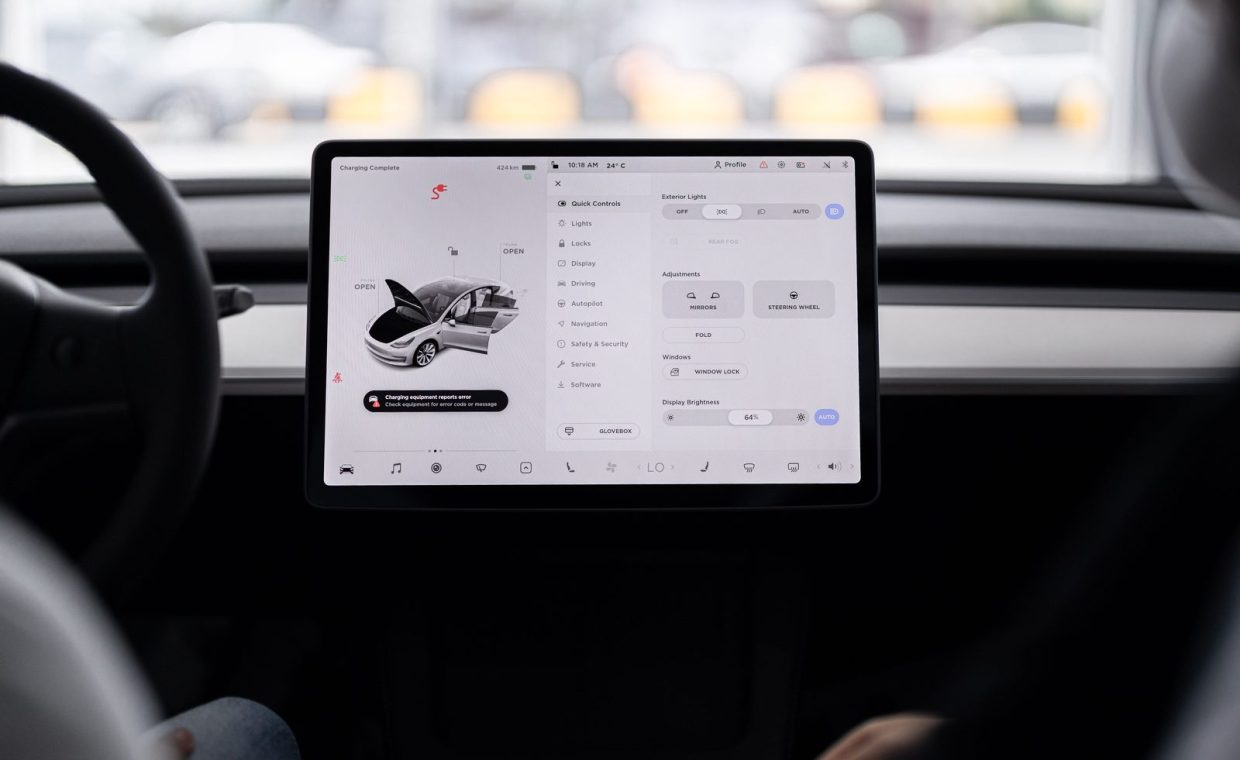
A friend of mine bought a midsize electric crossover a couple of years back, and for the first month he kept complaining that the lane-centering wandered like a tired commuter at 2 a.m. Then one Tuesday he texted me a photo of his dashboard. The car had downloaded something overnight in his garage, and the steering assist suddenly felt glued to the lane.
He hadn't touched the car. No dealer visit, no service writer, no loaner. The thing just got better while he slept, which is a genuinely strange feeling if you grew up thinking a car was frozen in time the moment it rolled off the lot.
That magic trick has a name. It's called an over-the-air update, or OTA, and it's quietly become one of the most important things to understand before you sign for a new vehicle. So let's pull it apart, piece by piece, and separate what's real from what the marketing slides oversell.
What an Over-the-Air Update Actually Is
An over-the-air update is software your car downloads through a cellular or Wi-Fi connection, then installs onto its own computers. Think of it the way your phone grabs a new operating system overnight, except the "phone" weighs two tons and has dozens of little computers buried in it.
Modern cars run on what engineers call electronic control units, or ECUs. A typical new vehicle has anywhere from 30 to over 100 of these little brains handling everything from the engine to the heated seats. An OTA update rewrites the code on one or more of them.
Here's the concrete version. Your car's infotainment screen feels sluggish, the maker finds the bug, writes a fix, and pushes it to every car in the fleet at once. You wake up, tap "install," wait maybe 20 minutes, and the lag is gone. No appointment, no shop time.
An OTA update is remote software delivery for your car. It can patch a glitch, add a feature, or change how a system behaves, all without a physical visit to a service bay.
The Two Flavors: Infotainment vs. the Whole Car
Not all OTA updates are created equal, and this is where a lot of buyers get confused. There are really two tiers, and the gap between them is huge.
The first tier is infotainment-only. This covers the touchscreen, the navigation maps, the menu layouts, and the connected services. Plenty of mainstream brands have offered this for years. It's useful, but it's basically the dashboard tablet getting smarter.
The second tier is full-vehicle, sometimes called firmware-over-the-air. This reaches the deeper systems: braking calibration, battery management, driver-assist behavior, even motor output. Tesla popularized this, and now Ford, GM, Rivian, Hyundai, and others are building toward it. This is the tier that genuinely changes how the car drives.
A common myth worth killing
Lots of folks assume that because a car "has OTA," it can update anything. Not true. A car that only updates its maps and apps cannot magically improve its brake feel or its range. Always ask the salesperson which tier you're actually getting, because the brochure rarely spells it out.
Real Examples of Cars Getting Better Overnight
The abstract idea clicks once you see what these updates have actually done. These aren't hypotheticals.
- Several EVs have unlocked a few extra miles of usable range through smarter battery software, no hardware change involved.
- Automakers have shortened braking distances on certain models after the fact by retuning the system, which is wild when you think about it.
- New driver-assist features, like automated lane changes or better parking, have arrived months after delivery on cars that shipped "incomplete."
- Quality-of-life stuff shows up too: a smoother climate control logic, a redesigned charging screen, a dog-friendly cabin mode.
That last category matters more than people expect. A car you live with daily gets less annoying over time, which is the opposite of how ownership used to feel. My old project cars only got worse with age. These get patched.
Before you buy, search the model's owner forums for "OTA history." If a car has received steady, meaningful updates for two or three years, that's a strong signal the maker is still investing in it. Silence is a red flag.
What OTA Updates Can't (and Shouldn't) Do
Software is powerful, but it isn't pixie dust. An OTA update cannot add hardware that isn't already in the car. If your trim shipped without the extra radar sensor or the bigger battery pack, no download will conjure it into existence.
This trips people up with driver-assistance especially. A car can only improve the features it has the cameras and sensors to support. If you care about active safety, you want the right hardware on day one, which is why understanding which safety tech features genuinely move the needle should happen before you sign, not after.
There's also a quieter limit. Some makers gate features you technically already have behind a paid subscription, then "unlock" them via OTA when you pay. The hardware was in your car the whole time. Heated seats by monthly fee is the most infamous example, and buyers have every right to roll their eyes at it.
Ask whether any advertised feature requires an ongoing subscription that arrives "via OTA." A capability you paid for at purchase should not quietly become a rental. Get the terms in writing.
How the Update Actually Lands in Your Driveway
The mechanics are simpler than you'd guess. Your car phones home over a built-in cellular modem or your home Wi-Fi, checks whether new software exists, and downloads it in the background while you go about your day.
When it's ready to install, the car asks permission. You almost always have to be parked, and for the deeper updates, you need to not drive for a stretch. Installation can take anywhere from 10 minutes to a couple of hours depending on how deep the update goes.
One practical wrinkle: the bigger firmware updates often want a decent battery charge or a steady power source before they'll start. Plan around it the way you'd plan around a phone update, except you can't pocket the car and walk away mid-install.
| Update type | Typical time | Can you drive during it? |
|---|---|---|
| Maps and apps | 5-20 minutes | Usually yes |
| Infotainment system | 15-45 minutes | Parked, screen may be off |
| Full firmware | 30 minutes to 2 hours | No, car must stay parked |
While we're talking connectivity, a quick aside. The same wireless plumbing that delivers updates is what powers your phone mirroring, so it's worth knowing how to get wireless CarPlay or Android Auto running smoothly. A flaky connection there is sometimes the first hint the car's modem needs attention.
The Battery Question and Other Real-World Catches
EV owners get an extra layer of nuance, because some of the most valuable OTA updates touch the battery itself. Makers have pushed software that adjusts charging behavior to protect the pack over the long haul, which can genuinely affect how the battery ages.
That ties directly into something every EV shopper should understand, which is how packs lose capacity over time. If you want the full picture there, our breakdown of why EV batteries degrade and what slows it down pairs naturally with the OTA story, because software is one of the levers makers pull to manage it.
A few honest catches worth keeping in mind:
- Not every update is an improvement. Occasionally a push introduces a new quirk, and you wait for the fix to the fix. It's rare, but it happens.
- You usually can't easily roll back. Once an update lands, going backward is hard or impossible, so a botched release can be frustrating.
- Older cars get cut off. Makers eventually stop updating older models. The "smart forever" promise has an expiration date nobody advertises.
OTA updates can patch bugs, add features, and tune existing hardware, but they can't install parts you didn't buy, they don't always go perfectly, and support eventually ends. Treat strong update history as a buying signal, not a guarantee.
Should OTA Capability Change What You Buy?
It should nudge your decision, not dominate it. A car with a serious full-vehicle update program is more likely to age gracefully and stay desirable, which can help resale down the road.
But buy the car you'd be happy with if it never updated again. Hardware, ride quality, the seats, the way it corners on your favorite back road, those are fixed at purchase. Software is the bonus, not the foundation.
I've learned to treat OTA the way I treat a great warranty. It's reassuring, it adds real value, and it tells you the maker is paying attention. It just shouldn't be the reason you overlook a car that doesn't actually fit your life.
Do over-the-air updates cost money?
The updates themselves are usually free, especially bug fixes and safety improvements. Some new features arrive bundled into a paid subscription, though, so always confirm whether a specific capability is included or rented.
Can an OTA update brick my car or leave it stranded?
It's very unlikely with mainstream makers, since updates are tested before release and the car usually keeps a safe fallback. The bigger real-world risk is starting a deep update with a low battery, so follow the prompts and stay parked until it finishes.
How do I know if a car I'm shopping for actually supports OTA?
Ask the dealer directly whether it's infotainment-only or full-vehicle, then check owner forums for the model's real update history. A car with a steady track record of meaningful updates is a far better bet than one that simply lists "OTA capable" on the spec sheet.
The morning my friend woke up to straighter steering, what really happened is that his car quietly rewrote a slice of its own brain while parked in the dark. Treat that capability as a question, not a checkbox: pin down whether you are getting infotainment polish or genuine firmware that can retune brakes and battery, then go read two or three years of the model's real update log before the deeper trims and subscription gates ever come up. Get that part right, and the overnight upgrades stop feeling like luck and start feeling like something you actually bought on purpose.